Track customer payments and outstanding balances
Keeping track of who has paid and who still owes you is one of the hardest parts of running a shop. Billo Mobile shows the answer on your phone, and it is a free app with no monthly subscription.
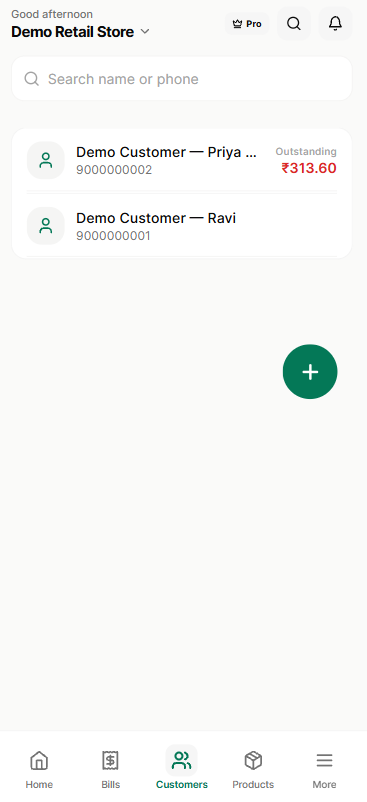
Screens show demo data.
Outstanding balance, customer by customer
The Customers screen lists your customers and shows each person’s outstanding balance, so you can see at a glance who owes you. You can search by name or phone number.
Bills with a clear status
Every bill in Billo Mobile has a status: paid, partial, pending or cancelled. Filter the Bills list by status, or search by invoice number or customer, to find what still needs to be collected.
Due today and late, on your home screen
When you set a due date on a bill, Billo Mobile tracks it as due or overdue on your dashboard. The home screen summarises what is to collect, what is due today and what is late, so you know whom to follow up with first.
See how you were paid
Reports show collections for today, this week or this month, with collections broken down by payment method. That makes it easier to match your records with the cash and other payments you received.
Part of everyday billing
You do not need a separate tool for this. Create the bill, record what was paid, and the balances update where you already work.
Frequently asked questions
- Can I see how much each customer owes?
- Yes. The Customers screen in Billo Mobile shows each customer’s outstanding balance.
- What bill statuses are there?
- Bills are shown as paid, partial, pending or cancelled, and you can filter the list by status.
- Can I set a due date on a bill?
- Yes. The Create Bill screen has a due-date option, and due and late amounts appear on your home screen.
- Is Billo Mobile free?
- Yes. Billo Mobile is a free mobile app with no monthly subscription fee.